
Verified Contacts
Make clients feel welcome and save valuable plan minutes by verifying your callers' contact details.
What is the verified contacts feature?
Verified Contacts lets you mark trusted people such as clients, opposing counsel, expert witnesses, or family members, so you always know when an important call comes in. When a Verified Contact calls, our 24/7 receptionists recognize them right away. We follow your instructions, whether that means connecting the call, taking an urgent message, or greeting them by name. Every trusted caller is given the attention they expect, and you have more time to focus on what matters most.
Personal, professional law firm service
Contact information displays on the call
When a Verified Contact calls, their information appears for our receptionists—name, phone number, email, and company details. No need to re-enter information. This saves time and ensures every call is treated with care.
Make clients and repeat callers feel welcome
Our receptionists can greet verified repeat callers by name, creating instant rapport, professionalism, and trust.
Get to the heart of the matter, fast
Because basic information is already confirmed, receptionists get straight to the purpose of the call, saving valuable minutes on every conversation.
Contact information
stored securely
Verified Contacts is compatible with both standard accounts and HIPAA-compliant setups, so private data is always handled securely.



 No data entry
Contact information displays on the call
When a Verified Contact calls, their information appears for our receptionists—name, phone number, email, and company details. No need to re-enter information. This saves time and ensures every call is treated with care.
 Personal greeting
Make clients and repeat callers feel welcome
Our receptionists can greet verified repeat callers by name, creating instant rapport, professionalism, and trust.
 Save time
Get to the heart of the matter, fast
Because basic information is already confirmed, receptionists get straight to the purpose of the call, saving valuable minutes on every conversation.
 Private & secure
Contact information
stored securely
Verified Contacts is compatible with both standard accounts and HIPAA-compliant setups, so private data is always handled securely.
Hear how real people answer

Anna K.

What information
can be verified?
When a verified caller contacts your firm, our receptionists can see:
- Full name
- Phone number
- Email address
- Firm / Organization name (if applicable)
- Any custom contact fields configured for your firm’s intake forms.
How to verify your contacts with LEX

Import contacts
Upload your client list or address book into the LEX Reception app. Every imported contact is automatically marked as verified, so they are recognized from their very first call.

Three call rule
If a caller reaches out from the same number three times using the same name, our system automatically verifies them.

One-Click Verification
Verify any caller in seconds, with just one click. In the web or mobile app, tap the verify check mark from your Inbox or Contacts tab. From your email, click the checkmark icon in your post-call summary.

Automatic contact updates
When you add or update a contact’s details in your LEX app, that record is automatically verified for future calls.

Blocking
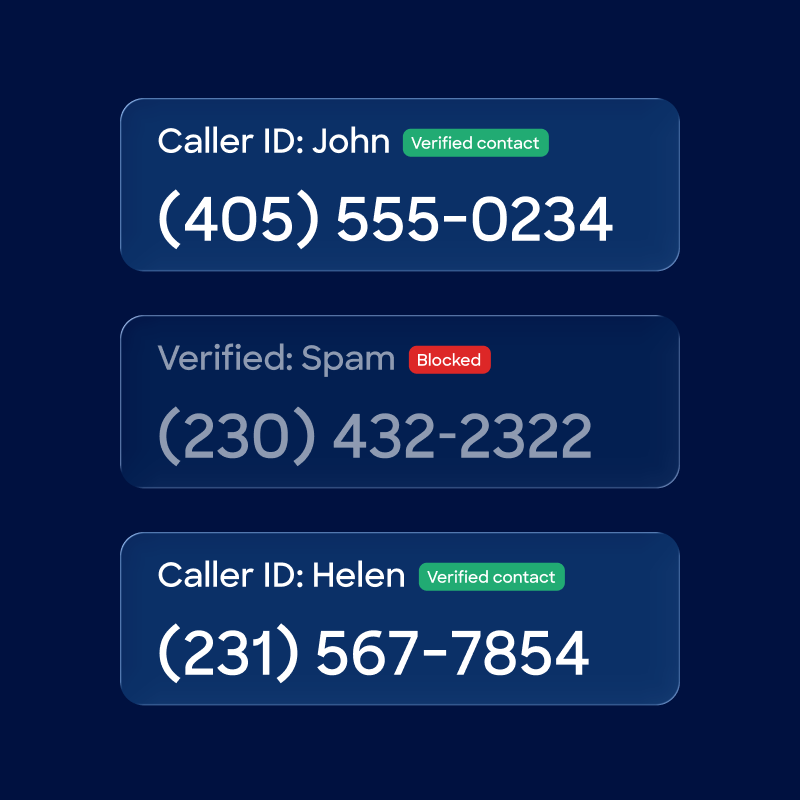
Confirmed spam numbers are permanently blocked from calling your account again
Trusted by attorneys

Instant integration
with your legal software
Integrate with the tools you use every day. Improve your workflow
and reclaim your time.











Verified contacts, better conversations
LEX Reception serves as an extension of your team, with flexible plans for firms of all sizes.
Find yours today.

Get started today
By submitting this form, you agree to our privacy policy. We may email, SMS, or call you to follow up. You can opt out at any time.

1 in 3 people say they would hang up on AI
LEX Reception is a 100% human attorney answering service. Our receptionists act as the human voice of your firm 24/7. Build trust with clients, grow your reputation, and keep law human.
Questions
and answers
Can't find the answer to your question?
Call us 24/7 at (800) 800-9995 or email us at
grow@lexreception.com
Call us 24/7 at (800) 800-9995 or email us at grow@lexreception.com
Cherish the
pale blue dot
With your support, LEX plants a tree for every client, every month.
2,203,209 trees plantedA book worth
your time

Unreasonable Hospitality: The Remarkable Power of Giving People More Than They Expect
Will Guidara
Will Guidara shares how exceptional service can transform ordinary transactions into extraordinary experiences, drawing from his time at Eleven Madison Park.