


Running more than one law firm or managing distinct practice locations? With Multiple Locations, streamline your workflow by linking all your LEX Reception accounts under a single login. Eliminate time lost switching between usernames – control and grow your firms efficiently from one place.
Why use Multiple Locations?
- Maximize billable hours: Move between firm accounts instantly – no downtime logging in and out means more hours for client work.
- Gain complete oversight: Monitor and control all practice locations from a unified dashboard for clear visibility.
- Retain firm independence: Each firm maintains separate client data, scripts, settings, and billing.
- Scale your practice: Ideal for partners managing multiple practice areas, or multi-state law firms.
How it works
- Request access: Contact our Client Account Managers to request Multiple Locations access.
- Account verification: We will verify ownership of each account you wish to link. For your security and client confidentiality, every owner must approve access.
- Approval process: Once we receive the necessary approvals, our team validates the request and enables Multiple Locations for you.
- Log in: Sign in to the LEX Reception web app with your standard email and password. You’ll see all approved firm accounts listed.
- Switch seamlessly: Select the practice you need to manage and switch anytime from the Profile menu.
Your accounts remain strictly separate with their own inboxes, staff, and billing, but you gain the efficiency of a single access point.
Getting started
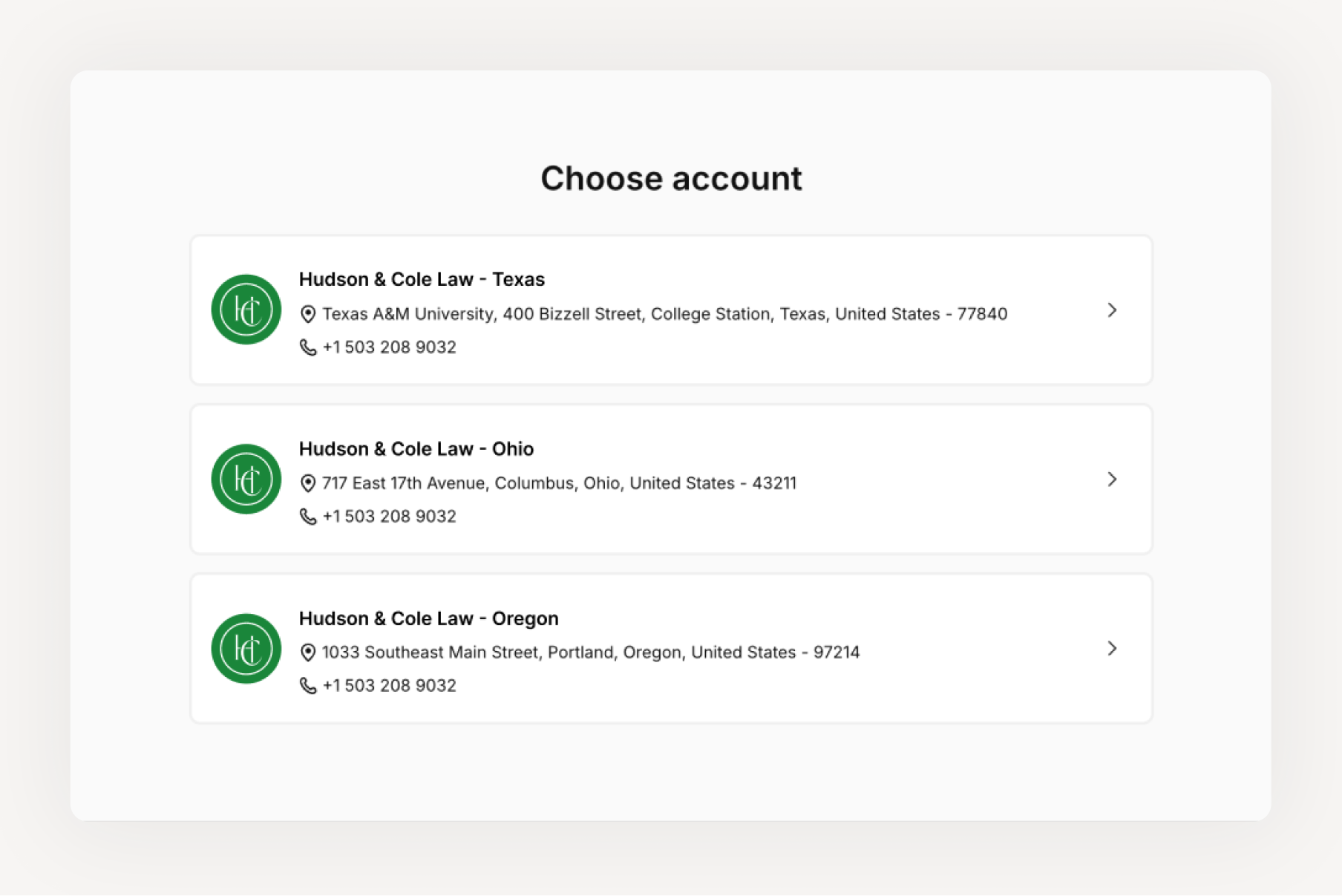
If you already manage multiple accounts, speak to your Client Account Manager to have Multiple Locations enabled. Once activated, you’ll see your linked accounts upon login.
Need assistance? Contact our Client Account Manager Team.
FAQs
Q: Do I need to be a named partner on all accounts to use Multiple Locations?
A: No. Office managers and admins can also use this feature. However, each account owner must confirm access before linking to ensure security.
Q: Will my firm’s accounts stay separate?
A: Yes. Each account maintains its own Inbox, scripts, client lists, billing, and settings. Nothing is merged, preserving data integrity for conflict checks.
Q: Can I unlink accounts later?
A: Yes. Simply contact our Client Account Managers, and we will assist you in unlinking accounts once the request is verified.
Q: Is Multiple Locations available on mobile?
A: Currently, Multiple Locations works on desktop. Mobile support is in development to help you manage your firm from anywhere.
Q: Does this affect billing or subscriptions?
A: No. Each firm maintains its own plan and billing details. Linking does not merge payments.
Note: Multiple Locations is not currently available for HIPAA-compliant accounts.